Let coding agents do the work. Keep every decision yours.
orch core runs agent work through tickets on a fixed path. Agents write the requirements, the plan and the evidence. You sign the requirements, the plan and the verdict in a physical way, with your fingerprint or your phone. An agent can type any command, but it can’t put a finger on the sensor. It works with Claude Code, Codex and any agent that has a shell.
- agentTicket, in the requester’s words
- you signRequirements and acceptance criteria
- agentPlan as a task list
- you signPlan approved
- agentCode, tests, evidence per criterion
- you signVerdict
Agents work between the gates and stop at each one. Only a person can open a gate.
Four problems I kept running into
Different laptops per client. I’d come back after a week or two and have forgotten where things stood, what was next and who still needed to be asked, because the agents had done the work, not me.
I lost control.
Too much at once. What did I do last week?
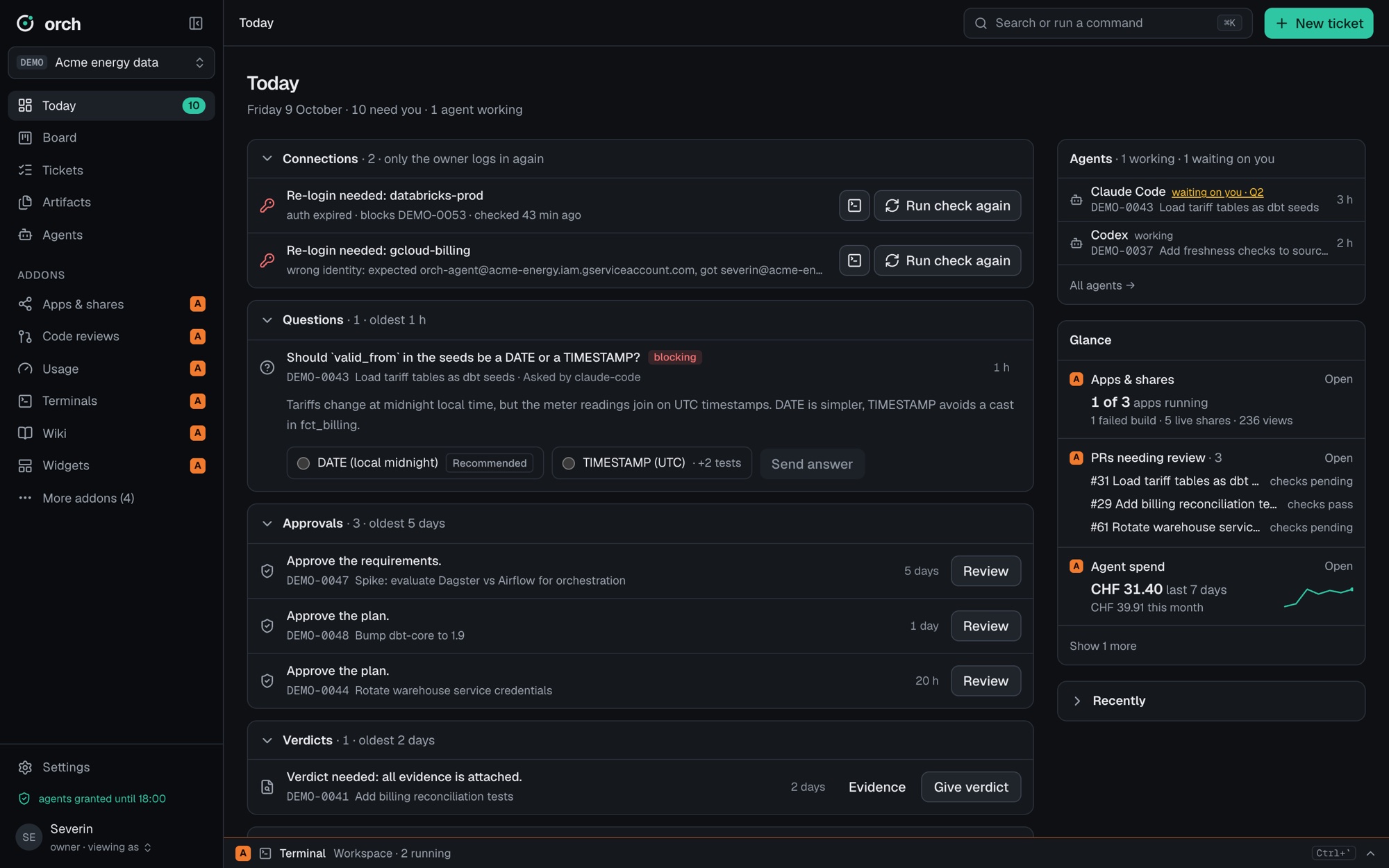
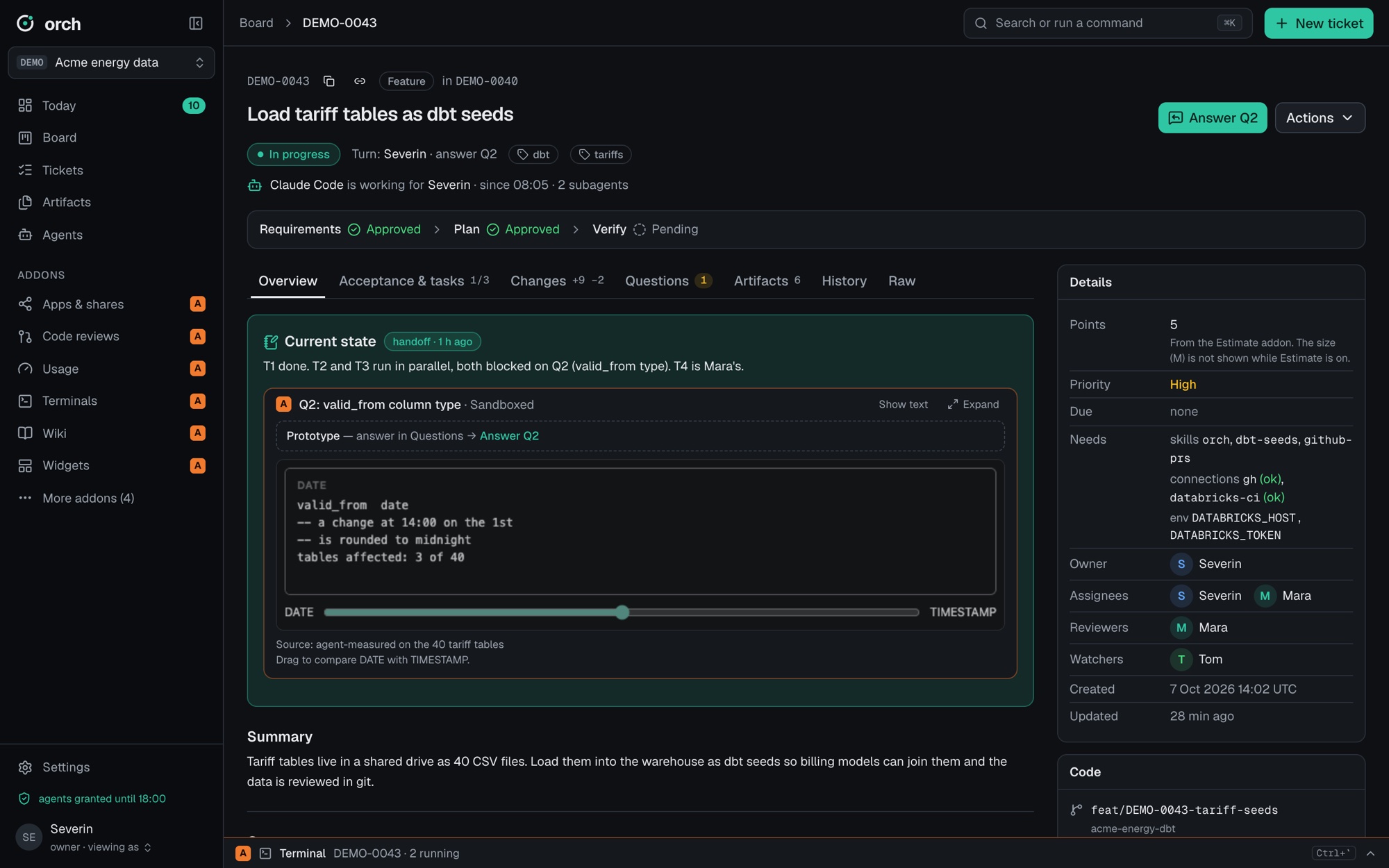
Open tasks, questions, last statusToday shows what waits for you. Every ticket has a current-state note: where it stands, what’s next.
Not what we agreed.
We plan together, the agent builds something else.
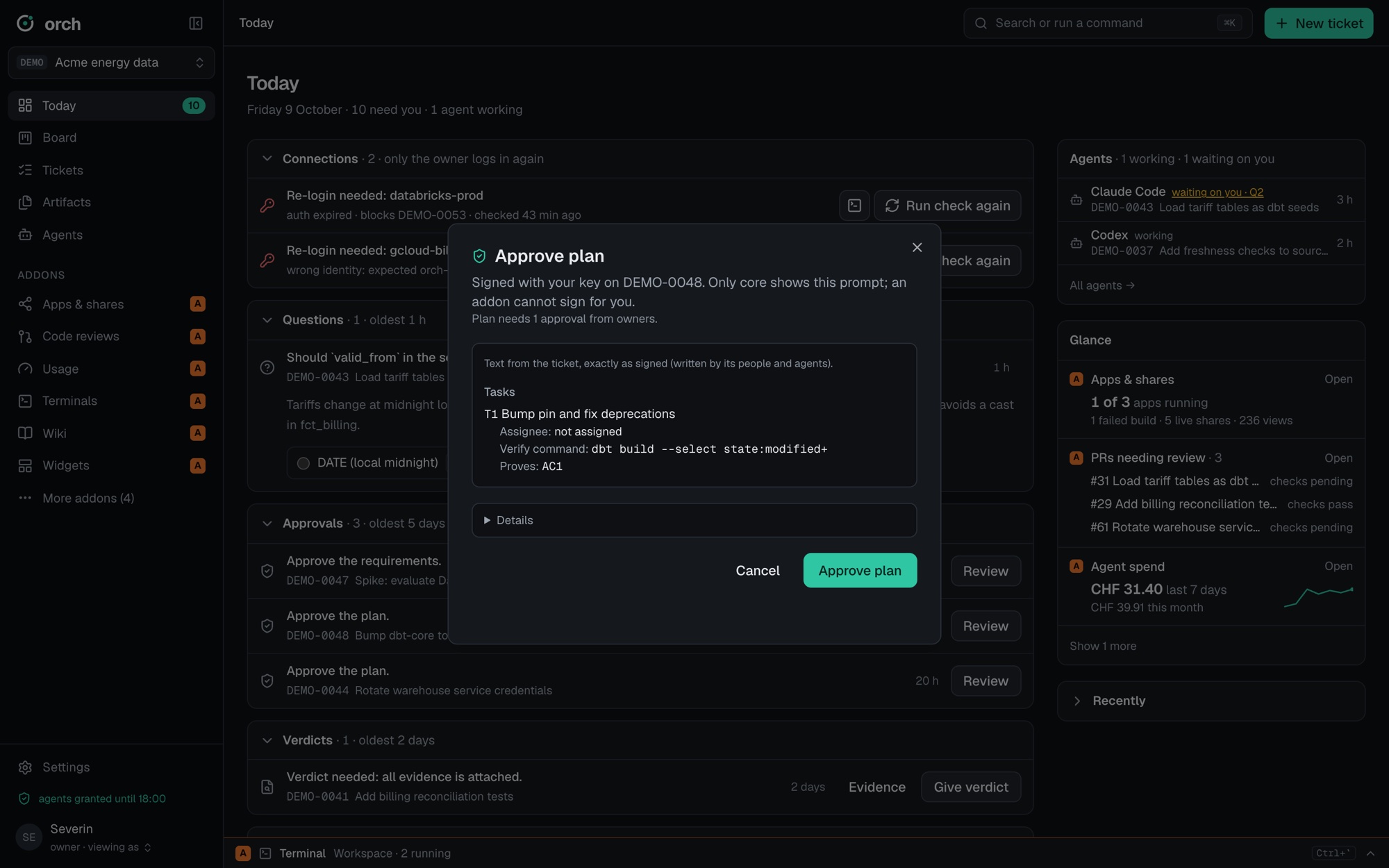
Signed requirements and planTwo gates before any code. You sign the exact text, and a change voids the signature.
“Done” isn’t done.
“Finished and perfect”, and half of it is missing.
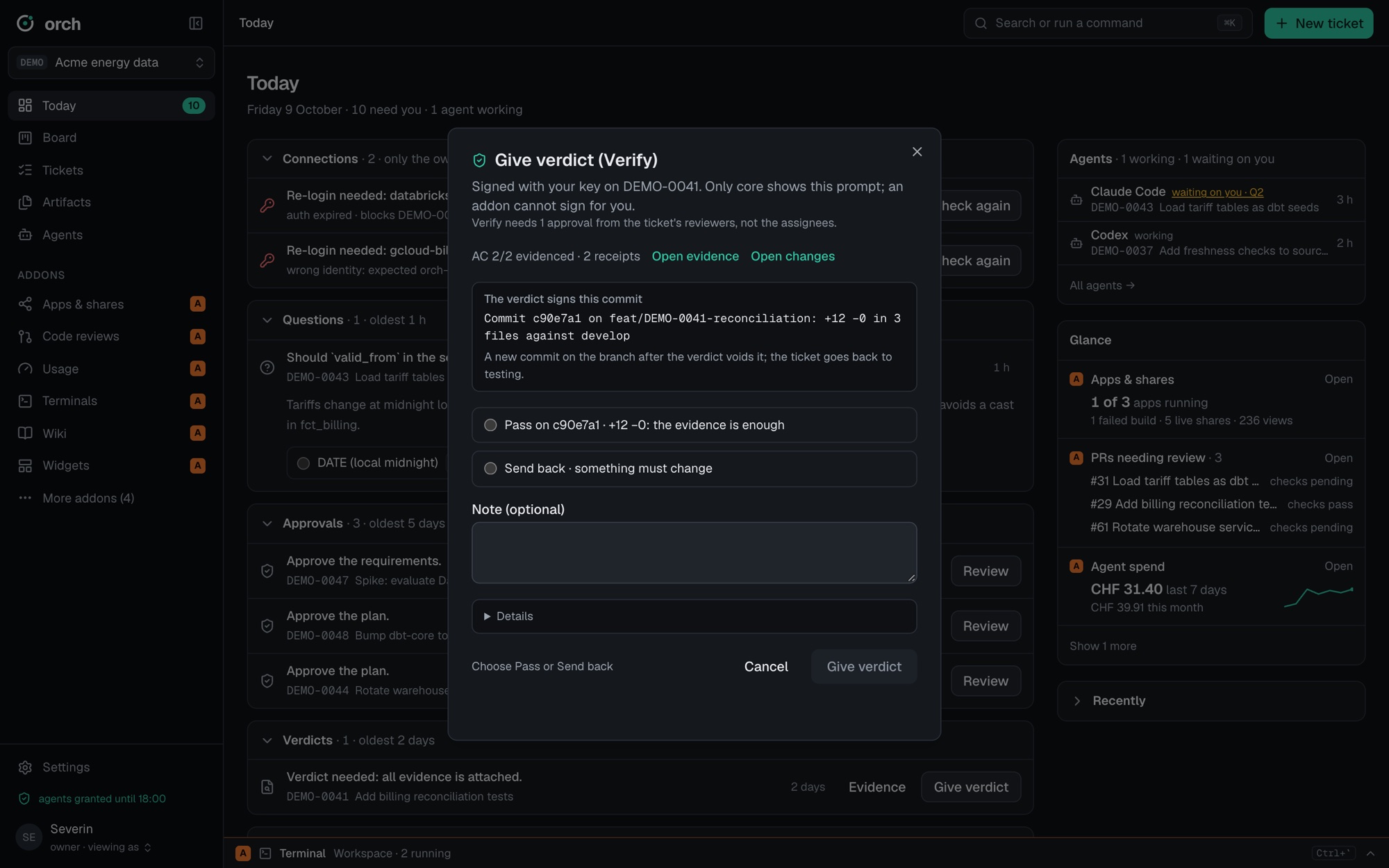
A checklist with evidenceEvery acceptance criterion needs proof before the ticket reaches you. Your verdict signs one commit.
Same discussion again.
Already decided, asked again.
Ticket history and contextEvery answer and decision is a signed event on the ticket, and agents read it before they ask.
Everything flows into the core
A request comes in, in the requester’s own words. The agent gets the keys and knowledge it needs, follows your skills and rules, and writes every step into the ticket. People answer questions and sign the gates. The results go back to your tracker, docs, code host and data platform, and every finished ticket adds to what the next one can draw on.
A gate before every next step, signed by a person
Every ticket follows the same path. Agents work between the gates and stop at each one. A gate opens only with a person’s signature, and that signature takes a physical act, so it can’t come from an agent.

Your fingerprint
Sign at your desk with the fingerprint sensor on your laptop.
Your phone
Sign from anywhere with Face ID. The key never leaves the phone’s secure chip.
Next: a hardware key
The same idea works with any signer that needs a physical act, such as a security key or the TPM chip in a company laptop.
What you sign is bound to the exact text you saw. If the plan changes after you signed it, the signature no longer counts.
A checklist, and evidence for every item
Agents like to report success. orch core doesn’t take a summary for an answer: the acceptance criteria are agreed before the work starts, and the agent ticks each one off only with evidence. Your verdict unlocks when every criterion is proven.

At your desk
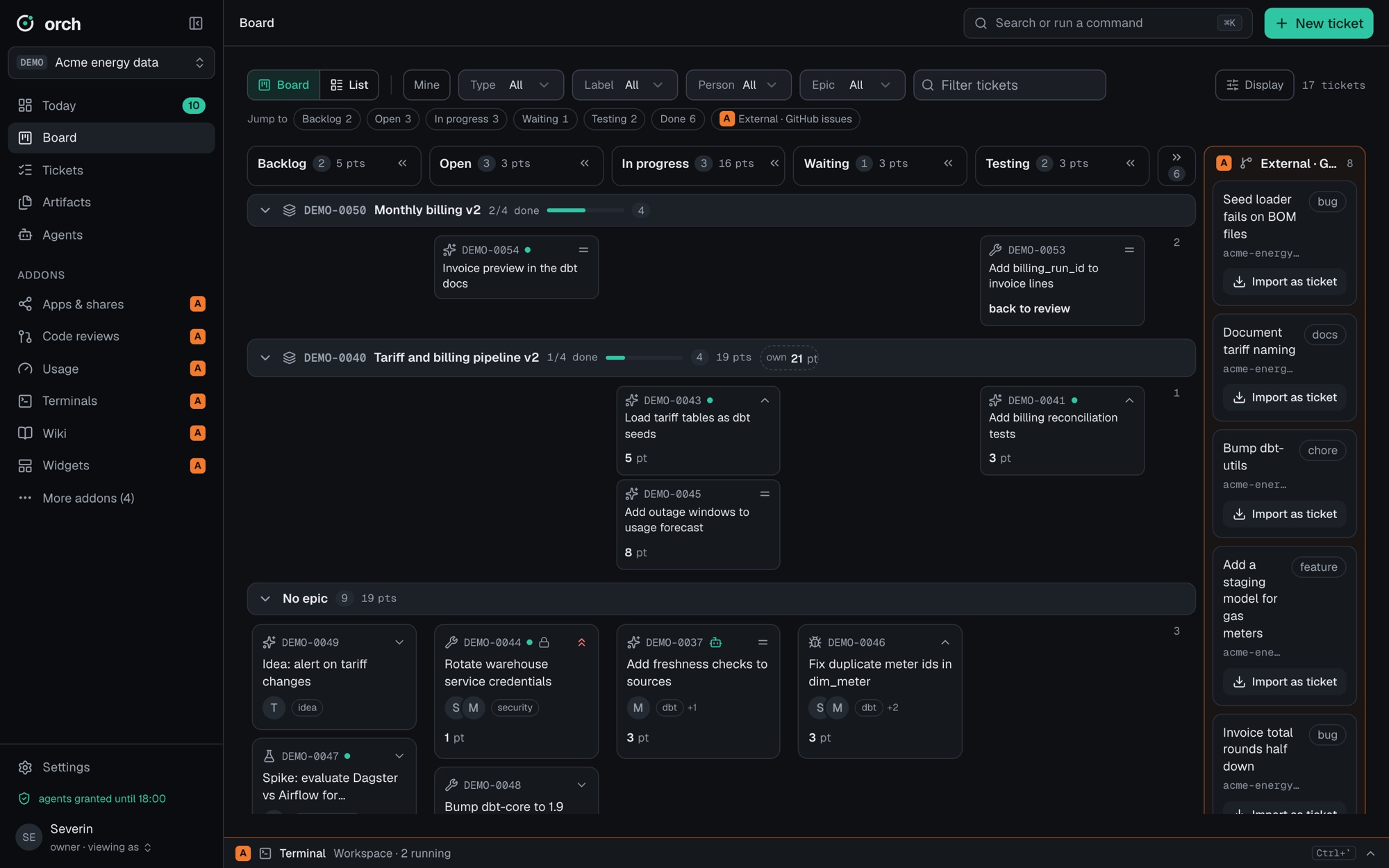
Mission Control is a local dashboard. Every prompt that signs something shows you exactly what you sign, and only core can show it, never an addon.
On your phone
orch mobile answers questions and signs gates from an iPhone. One QR scan joins a workspace, and logging out wipes it. Every signature needs Face ID, and the device key stays in the Secure Enclave.


The screens show example data.
AI Factory and Dark AI Factory
For bigger requests, sign a charter instead of every single gate. You set the limits once: how many tickets, how big each one may be, the budget, and whether the result stays a preview or gets delivered. Inside those limits the agents split the work into tickets and build it, and every approval the charter gives is marked as such.

How the pieces fit together
A workspace is one team’s or person’s space for a project or client. Agents work through the orch CLI, the workspace host holds the keys, and everything lives in plain, signed files. For a company, one orch hub connects all its workspaces and your phone. The relay and publish at the edge only ever see ciphertext.
- Workspace
- A team’s or person’s space for one project or client: tickets, agents, skills, memory and its own keys. Plain files per ticket (
ticket.json,body.md,events.jsonl,artifacts/); every change is an appended, signed event. orchCLI- Agent-first commands with terse output:
new,claim,task,ask,artifact,submit. Any agent with a shell can use it. - Workspace host
orch serveis the only process that holds the workspace keys. It enforces gates, roles and policies, and checks every signature.- Mission Control
- The desktop dashboard, itself an addon. Other addons: GitHub reviews and issues, Databricks, wiki, terminals, schedules, quick tasks, or your own, each trusted per version.
- orch hub
- One per company, next to its workspaces. People sign in once, and admins give groups read, edit or admin access per workspace. The hub routes handoffs between workspaces, keeps shared spaces and a signed audit log, and serves the browser home. In full mode it is a trusted operator, like an identity provider: it holds each user’s signing key, and every signature still needs a fresh tap on the phone or a passkey.
- Selective join
- A personal workspace can join without giving the hub its key. It shares only what its owner picks, and only the owner can switch it to full mode.
- Standalone
- A workspace without a hub works on its own: tickets, agents, Mission Control and local signing. The hub is an addition, never a dependency.
- orch-relay
- Directory, relay, Drop and push. It stores ciphertext only, carries phone push and hub-to-hub traffic, and runs as a public instance or inside your company. Workspaces dial out to the hub; nothing dials into a workspace. orch-relay
- orch mobile
- The iPhone app for questions, approvals and verdicts, with push notifications and Drop for files. It pairs once with the hub by QR. orch-mobile
- orch-publish
- Shares and small apps over HTTPS. The hub forwards the request, the workspace signs it, and nothing is released without human approval.
- Linked workspaces
- Hand a ticket to another workspace (yours, a colleague’s or one on a client’s VM) and continue with the result. Between companies, hubs link through a relay with no direct access to each other’s workspaces. Incoming tickets are untrusted until you accept them.
Works with the agent you already use
Every command is defined once, and gates and signatures are enforced by orch itself, not by a hook in one particular agent.
| Claude Code | Codex CLI and others | |
|---|---|---|
| Instructions | AGENTS.orch.md and skills | AGENTS.orch.md, skills where supported |
| Gates and signatures | Enforced by orch | Enforced by orch |
| Hand edits to ticket files | Refused early by a guard hook | Detected by orch check, or prevented by running agents as their own OS user |